Math
Arithmetic against a countdown, in easy, medium and hard. Set it high enough that a half-asleep brain still has to do the work.
Version 1.0.0 live on Google Play
Most alarms lose to a reflex. Awake keeps ringing until you solve the puzzle, scan the code in the next room, or finish the reps. Then it stops.
Free. No ads, no in-app purchases, no account. Android 8.0 and newer.
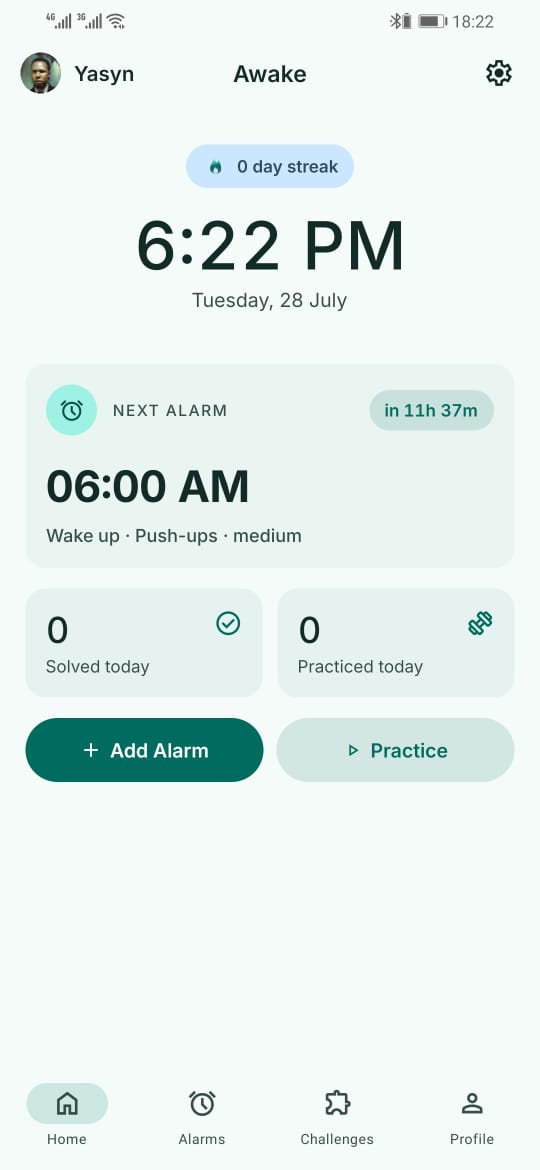
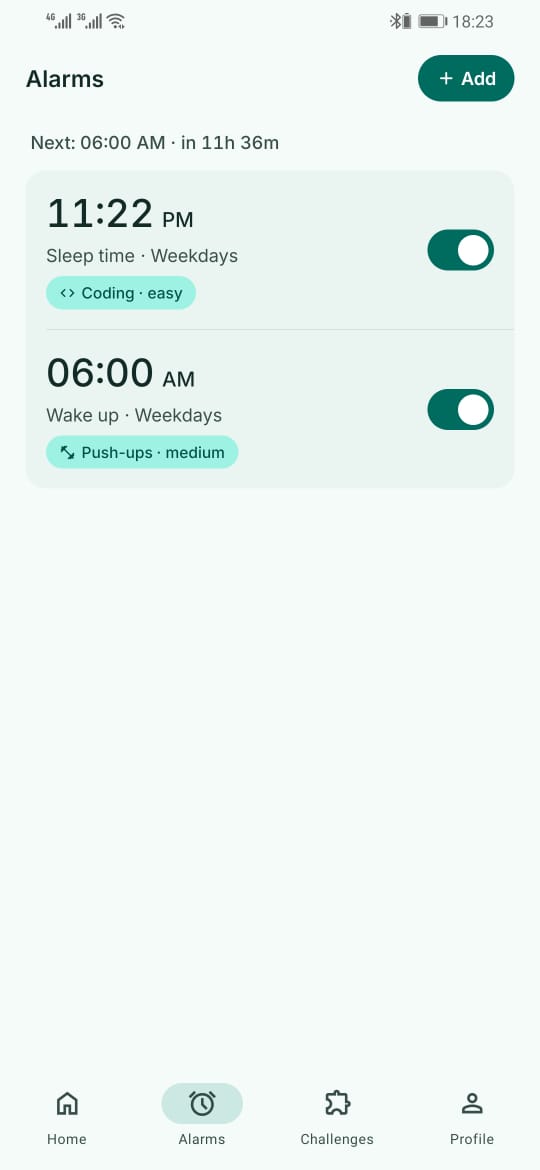
Real captures from version 1.0.0 on an Android phone, in the order you meet them.
The next alarm, what it will ask of you, and how long you have. Your streak sits at the top where you cannot miss it.
Every alarm carries its own challenge and difficulty, so a weekday 6am and a weekend lie-in do not have to ask the same thing.
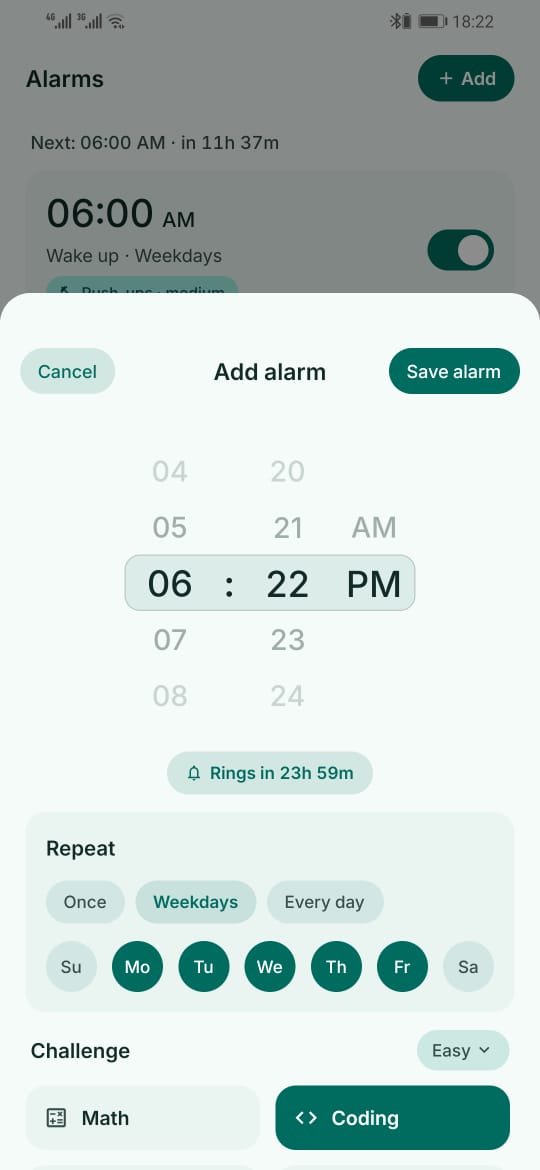
Time, repeat days, challenge and difficulty in one sheet. It tells you how long until it rings before you save.
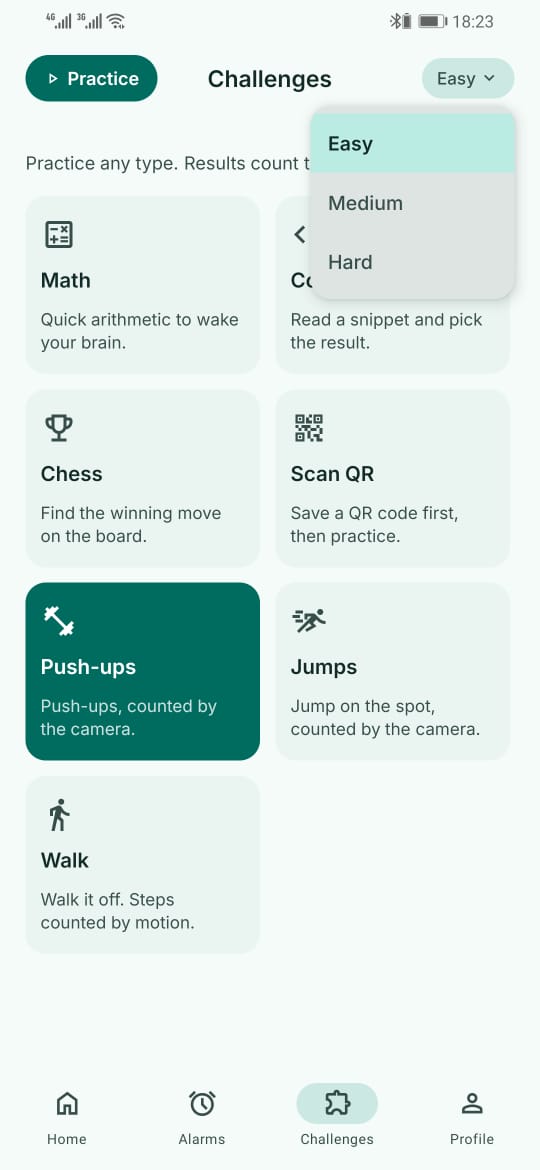
All seven types, at three difficulties. Run any of them as practice so 6am is not the first time you have seen one.
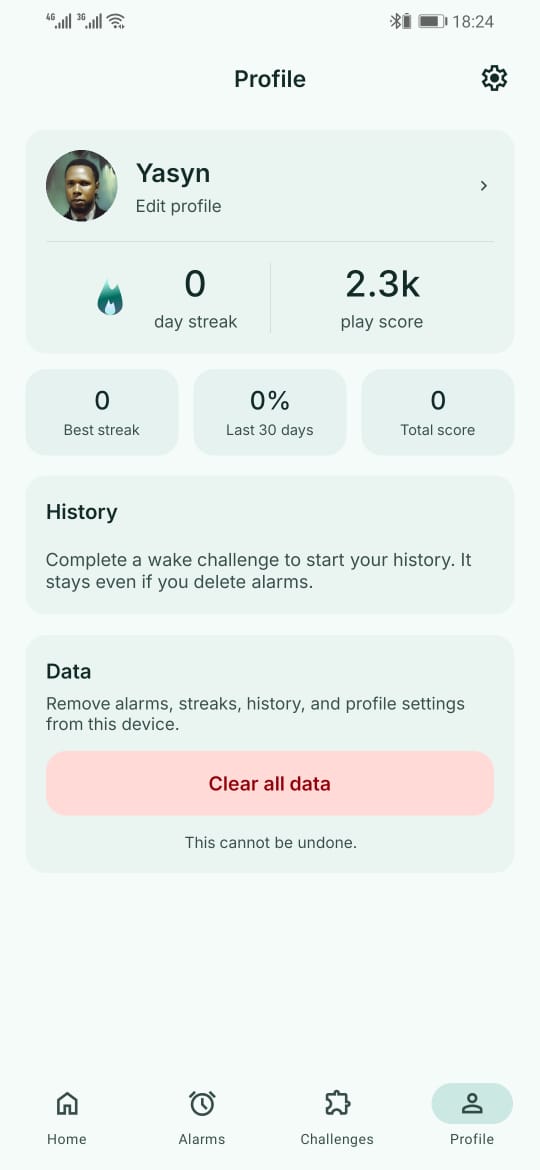
Streak, score and history, all stored on the device. Clear all data wipes it in one tap, and nothing survives elsewhere.
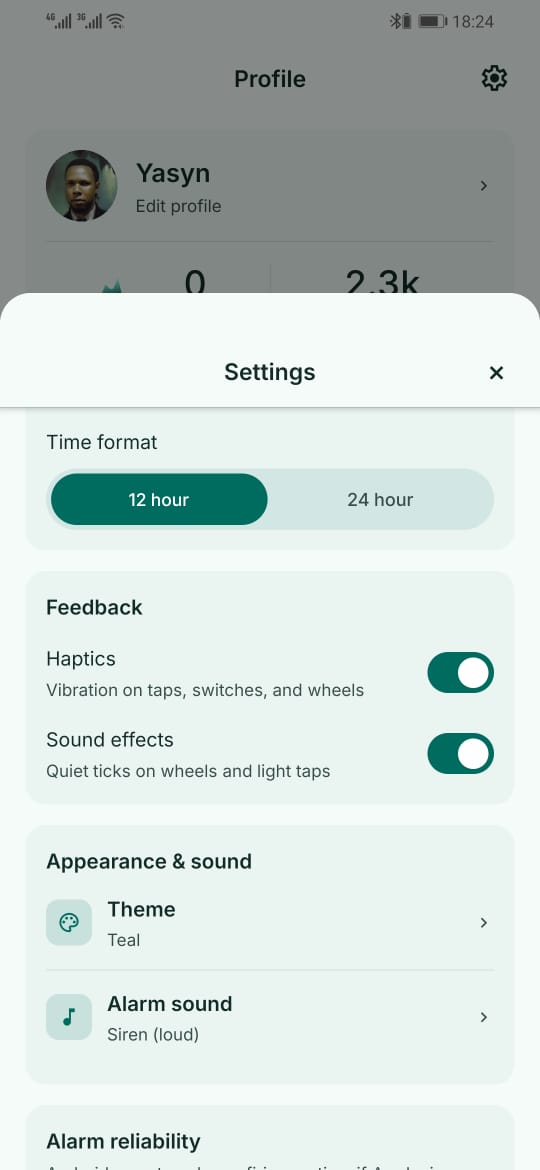
Time format, haptics, alarm sound, and a reliability section that checks the Android permissions an alarm actually needs.
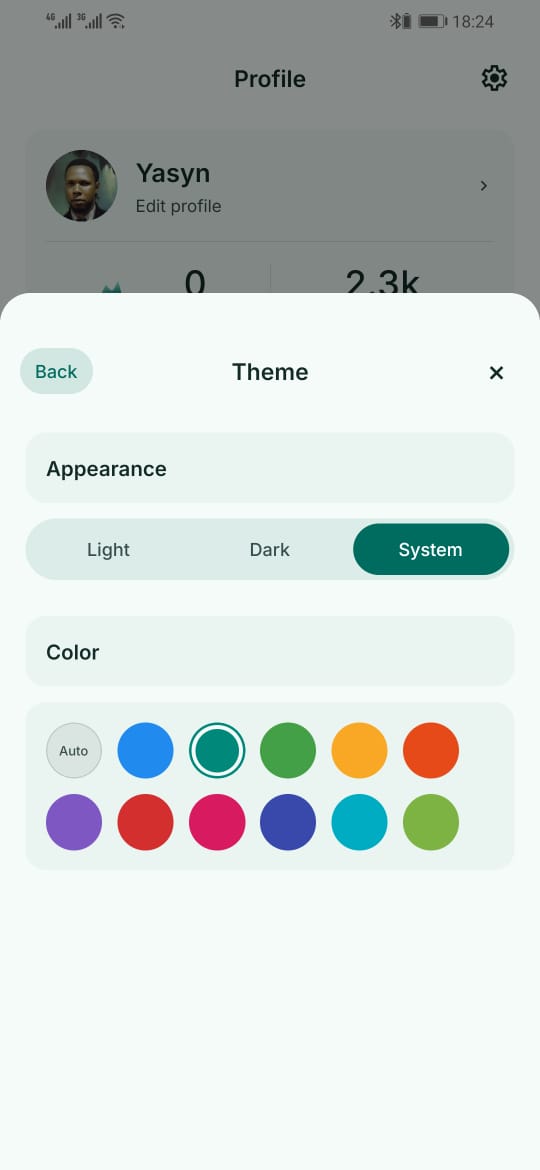
Material You. Pick a seed colour and the whole app retunes around it. Light, dark, or whatever the system is doing.
Scroll for the rest
Pick the one you cannot fake at 6am. Swap it the week it stops working on you.
Arithmetic against a countdown, in easy, medium and hard. Set it high enough that a half-asleep brain still has to do the work.
Read a short Python snippet and choose what it prints. Much harder to guess your way through than a number pad.
A real position with a forced win. A puzzle is a line, not a move: play it out and the board answers back until the mate lands.
Scan a code you taped to the kettle or the bathroom mirror the night before. The alarm does not stop until the phone has travelled.
Reps counted from the front camera by a pose model that runs locally. Frames are never recorded, written to disk or uploaded.
The same local pipeline, a different movement. Jump until the ring closes. Nothing about the feed leaves the camera thread.
Steps are read from the accelerometer and the phone's hardware step counter at the same time, so the count survives the screen switching off. A hysteretic detector gated on real walking cadence means shaking the phone under the duvet counts nothing.
Pick a time, a sound, the days it repeats, and which challenge has to be beaten before it will stop.
Full screen over the lock screen, through Doze, and again after a restart. There is no swipe and there is no snooze.
Finish the challenge and the alarm stops and your streak goes up. Fail it and the ringing carries on.
Small things, done properly, because you meet them every single morning.
Choose a seed color and the whole app retunes around it. Light and dark follow your system unless you say otherwise.
Every completed wake is recorded. The streak only counts mornings you actually finished the challenge, so it means something.
Run any challenge at any difficulty outside alarm time, so 6am is not the first time you have seen a chess puzzle.
Alarms are re-registered after a restart and use exact alarm scheduling, so they fire on the minute you set rather than whenever Android gets round to it.
Hold the dismiss control for five seconds and the alarm stops. It gives no streak credit, on purpose, so it stays the exception.
There is no server to be down and no login to expire. Every challenge, sound and setting is already on the device.
Awake has no accounts, no servers and no analytics. There is nowhere for your data to go, because there is nothing on the other end.
Yes, and you can force-stop it too. Awake is a tool, not a trap. What it removes is the reflex swipe that lets you dismiss an alarm without ever waking up. If you genuinely want out, the door is unlocked.
Press and hold the dismiss control for five seconds. The alarm stops immediately, no challenge required.
It gives no streak credit. That is deliberate: the escape hatch has to stay slightly uncomfortable, or it quietly becomes the habit.
No. Snooze is the thing Awake exists to remove.
No. The camera feed is processed on the device, frame by frame, by a pose model bundled inside the app. Only a rep count comes out of that pipeline. Nothing is written to disk, and the app makes no network request with it.
Yes. Alarms are re-registered when the device finishes booting.
You should still exempt Awake from battery optimization, because aggressive power management is the most common reason an Android alarm goes quiet. Support explains how.
No. Awake is Android only, and there is no date to give you for anything else.
Nothing. Awake is free, with no ads, no in-app purchases and no subscription.
Android 8.0 and newer. Play will tell you before you install if your device is not supported.
Awake 1.0.0 is out now on Google Play. Free, offline, and yours in about a minute.